The problem explored
Keeping classification, reply review and follow-up connected across an inbox.
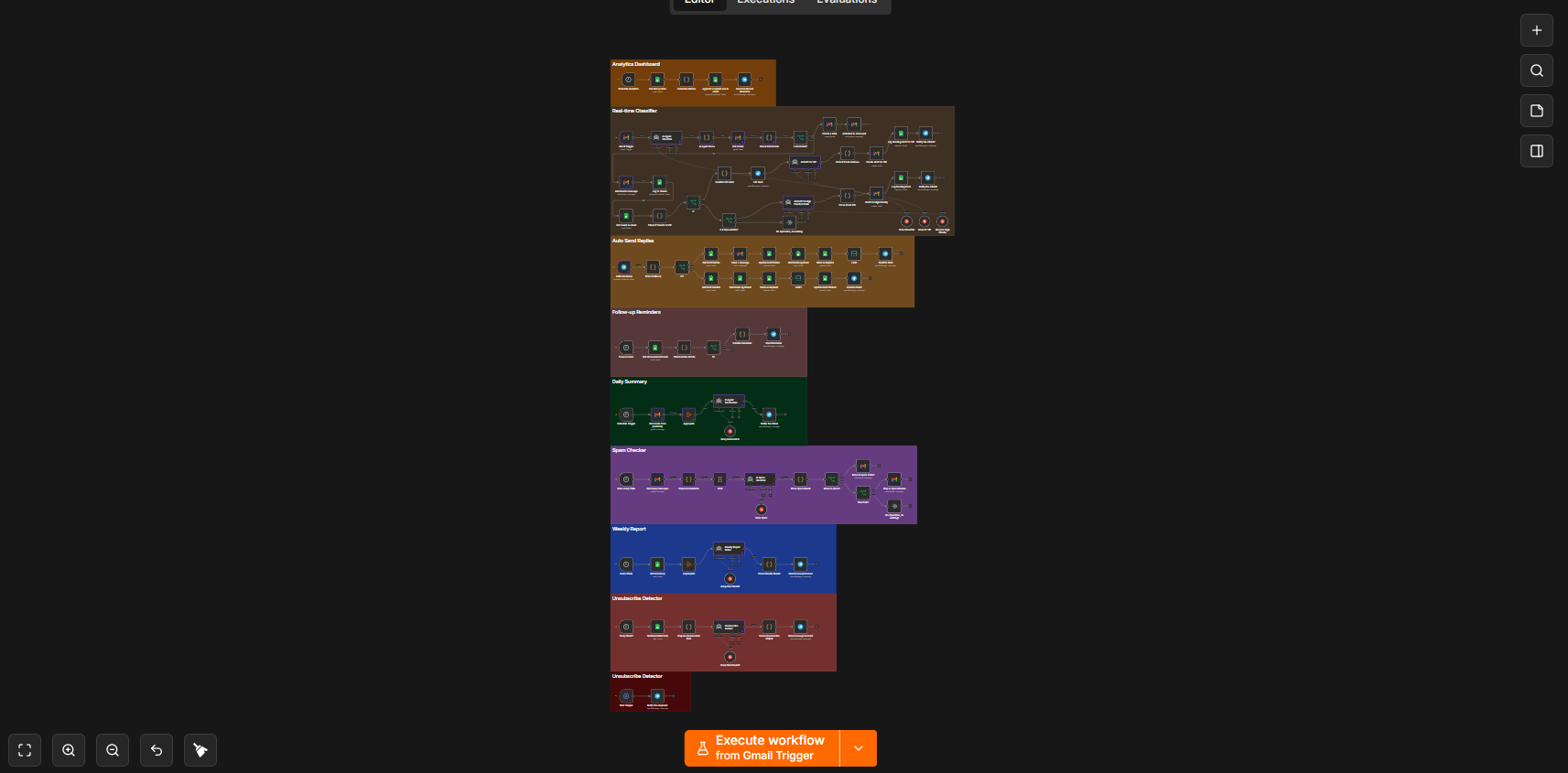
An inbox workflow with classification, draft review, reminders and reporting. The supplied diagrams document the configured connections, rather than verified production outcomes.
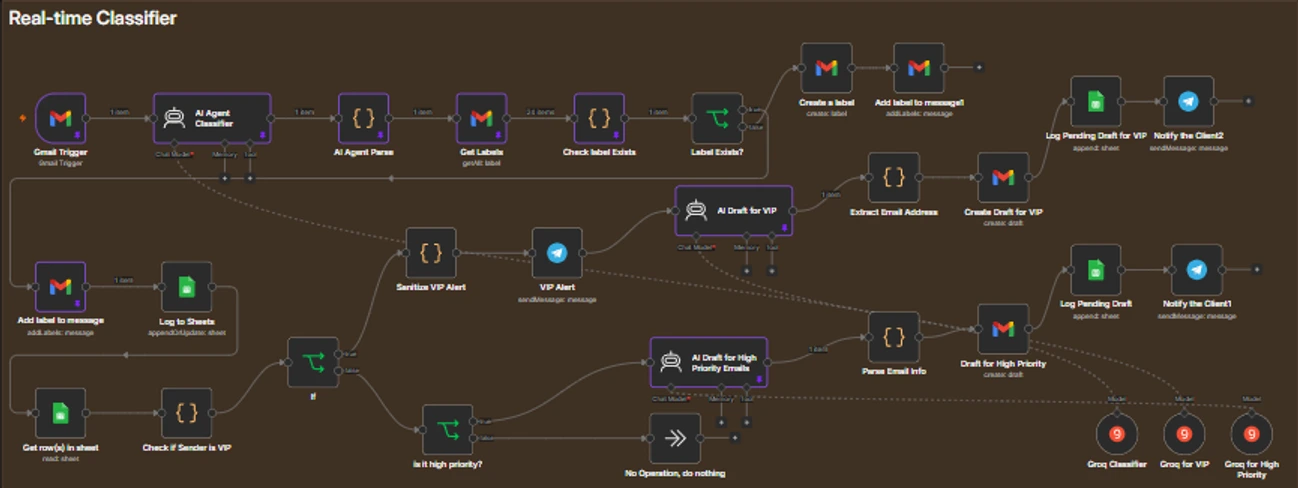
Scroll sideways to inspect the diagram. Zoom enlarges labels; Reset zoom restores this preview.
Architecture summary · read alongside the source
- Receive & classify
- Route & draft
- Review & send
- Follow up & report
Inside the processing logic
Receive & classify
- A Gmail Trigger feeds an AI Agent Classifier connected to Groq.
- Parsed output reaches label lookup and label-existence checks.
- The diagram includes creating a label and adding a label to a message.
Route & draft
- A sender lookup checks whether the sender is a VIP.
- VIP and high-priority branches contain AI draft generation.
- Draft details are logged in Google Sheets and notifications go to Telegram.
Review & send
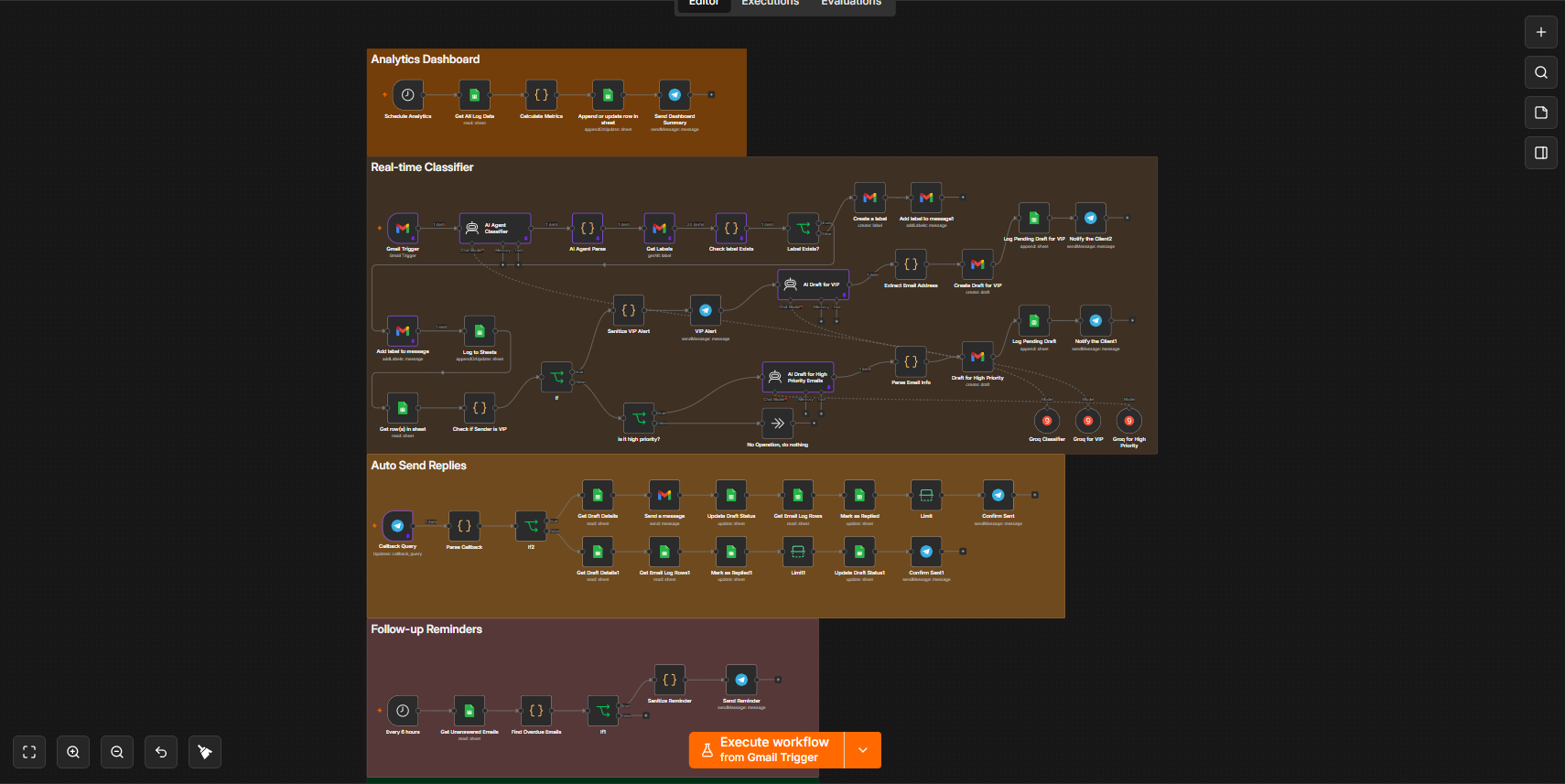
- Telegram Callback Query starts a separate reply-review path.
- The path retrieves draft details before the Gmail send-message node.
- Status updates and a Telegram confirmation follow the send step.
Follow up & report
- A reminder branch reads unanswered emails and checks for overdue items.
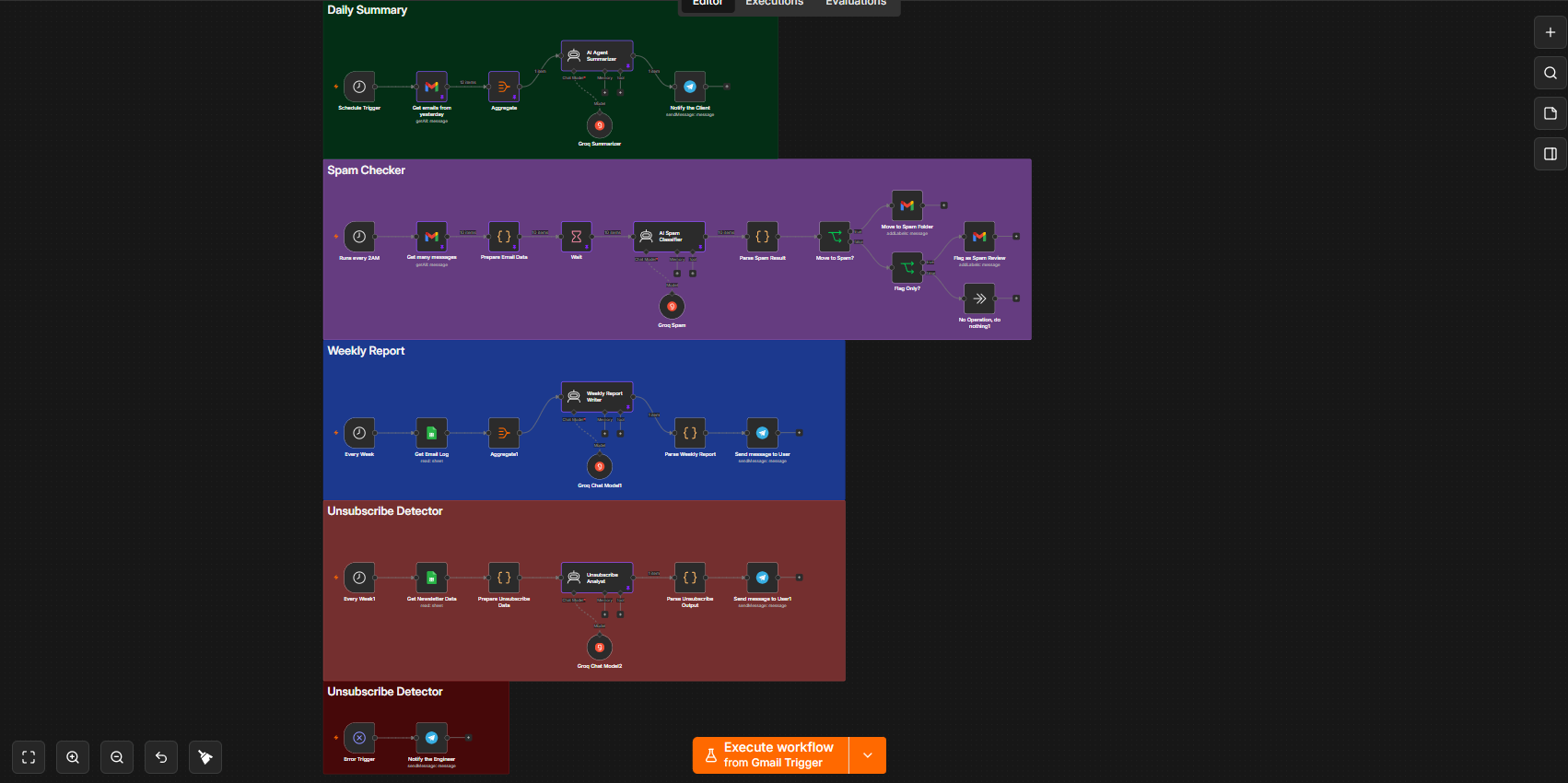
- Other branches show daily summaries, weekly reports and dashboard metrics.
- A spam-checking branch and an unsubscribe-analysis branch are also visible.
Step through the explanation
Dennice, an original illustrated robot guide, walks through the diagram. Start with Next, or choose autoplay. Captions and a full transcript are included; sound is optional.
Source evidence
These are the supplied local files used to write this explanation. Node labels and connections are visible; exported workflow JSON and execution logs were not supplied.
Visible outputs
Gmail labels and drafts, review-driven replies, Telegram updates and Sheets logs.
These outputs are represented by nodes in the source. Delivery success and business results require execution evidence.
What this case study does—and doesn't—verify
The screenshots document node names, integrations and connections. Prompts, credentials, exact routing rules and execution logs are not supplied. Sending accuracy, response times and time savings have not been measured here.
Next validation steps
Before operational use, I would inspect the workflow export, confirm credentials and permissions, test representative inputs and error paths, and review the outgoing messages with the intended user. These are proposed checks, not completed workflow execution tests.